💵
Value My Car → We Buy Cars — Even If You Don’t Buy From Us.
Get a real offer on your vehicle in minutes. No obligation, no pressure.


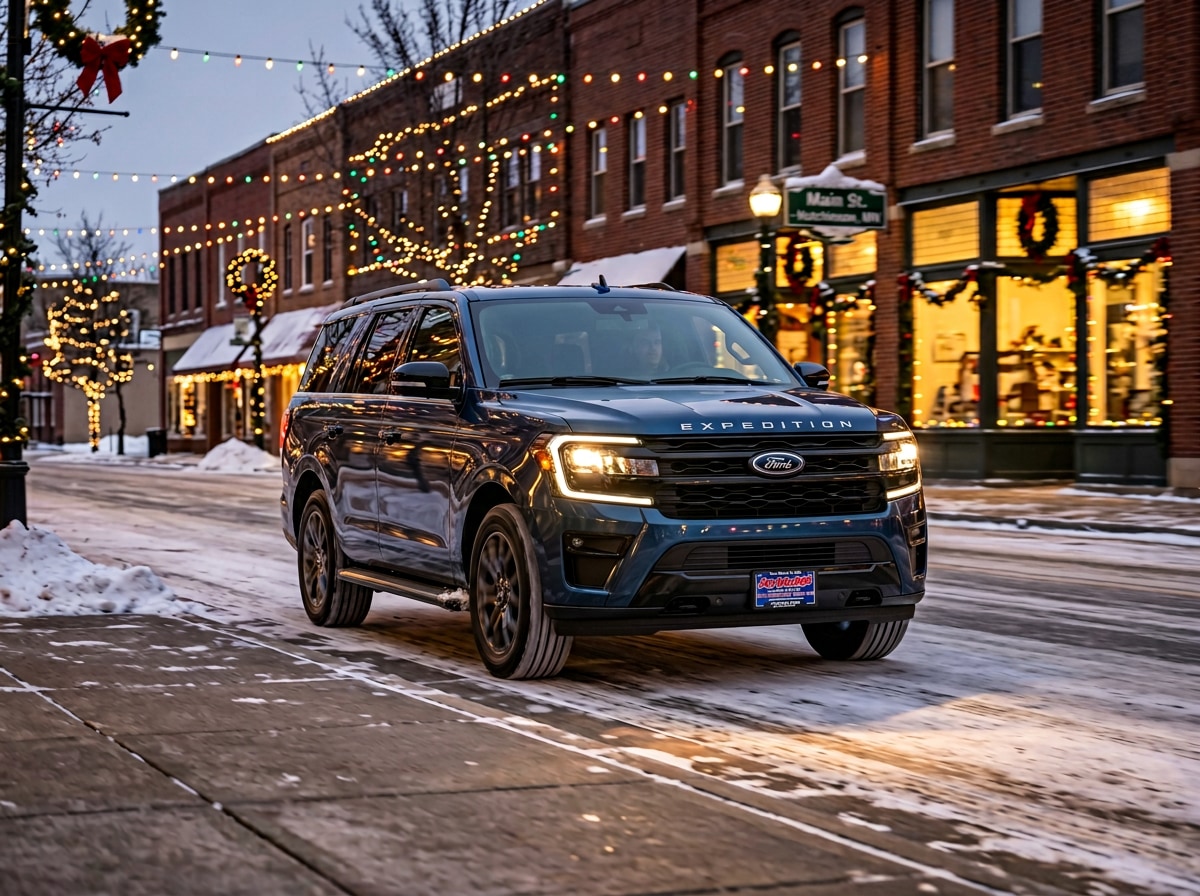
The 2026 Ford Expedition® runs the most advanced technology stack Ford puts in any SUV — a 24-inch panoramic display paired with a 13.2-inch center stack, the Ford Digital Experience with Google services built in, and BlueCruise hands-free highway driving available across the lineup. Most of it is standard equipment from Active up. Some of it requires specific factory options that have to be ordered at build time and can’t be added later. This guide walks through every piece of the technology and driver assistance suite, what’s standard at each trim level, what’s optional, and how to make sure your Expedition has the features you want.
On This Page
Every 2026 Expedition retail trim runs two large displays standard. This is the most digital screen real estate in the full-size SUV segment, and it’s standard from Active 200A all the way up to King Ranch.
The 24-inch panoramic display spans across the dashboard from the driver’s side toward the passenger side. It functions as both the instrument cluster (speedometer, tachometer, trip computer, navigation prompts) and an extension of the infotainment system. Drivers can configure what shows up where — full-screen maps, split-screen with media and navigation, or a more traditional cluster layout with auxiliary information off to the side.
The 13.2-inch center stack display sits in the middle of the dashboard, angled slightly toward the driver. It runs the Ford Digital Experience interface (more on that below) and handles climate controls, audio, navigation, vehicle settings, and connected services.
Why this matters in real-world use:
The same display setup is used in the fleet-only XL SSV configuration as well — this is genuinely the same hardware across the entire Expedition lineup.
Ford Digital Experience is the operating system running on the 13.2-inch center stack. It’s built around the Android Automotive platform, which means Google services are integrated natively rather than requiring you to plug in a phone.
What’s built in:
Worth knowing: Ford Digital Experience is standard on every retail trim — Active, Tremor, Platinum, and King Ranch. The XL fleet trim (102A SSV) does not include the Ford Digital Experience for fleet operational reasons. The first year of full Ford Digital Experience services (Google features, streaming, productivity tools) is included free with the Ford Connectivity Package; after Year 1, you can pay month-to-month or buy a 7-year one-time purchase package.
Ford Co-Pilot360 Assist 2.0 is the standard driver assistance suite on every 2026 Expedition retail trim — even the Active 200A. It’s a comprehensive package that covers most situations where modern ADAS systems can help.
What’s included:
For comparison: many luxury SUVs require you to step up to mid- or upper-tier trims to access this kind of feature set. On the 2026 Expedition, this is what you get on the entry retail trim. The hardware is the same across the lineup; what changes between trims is whether Co-Pilot360 Active 2.0 (the next tier up) is standard.
Ford Co-Pilot360 Active 2.0 builds on the Assist 2.0 foundation by adding Intersection Assist and the Power Tilt/Telescoping Steering Column with Memory.
Intersection Assist is the headline new capability. When the system detects you’re about to turn left across oncoming traffic at a low speed (a typical turn-across-traffic intersection), it monitors approaching vehicles and can automatically apply the brakes if it detects an imminent collision. This is genuinely useful in two specific scenarios:
What trims get Co-Pilot360 Active 2.0:
Power Tilt/Telescoping Steering Column with Memory is also part of the Active 2.0 package — the steering column adjusts position automatically based on which key fob is used, which is genuinely convenient when multiple drivers share the vehicle. The column position joins seat memory, mirror memory, and HVAC preferences.
BlueCruise is Ford’s hands-free highway driving system. On Ford-prequalified Blue Zone highways (most major U.S. interstate routes), you can take your hands off the steering wheel and let the system handle steering, throttle, and braking. A driver-facing infrared camera monitors your eyes to make sure you’re paying attention — if you look away too long, the system warns you and eventually returns control.
What BlueCruise does in practice:
Where BlueCruise actually pays off in central Minnesota use:
For specific Blue Zone coverage and current capabilities (the system is regularly updated), Ford maintains the most current information at ford.com/bluecruise.
This is the single most important technology decision when ordering an Expedition: BlueCruise hardware must be ordered at the factory. It cannot be added to a vehicle after it leaves the assembly line. If you don’t select a BlueCruise option at order time, your Expedition will never be capable of BlueCruise functionality — not now, not later through software updates, not through any aftermarket retrofit.
Three BlueCruise options at order time:
BlueCruise Equipped (90-Day Trial). Standard on Tremor and on retail orders for Platinum. You get BlueCruise hardware installed and a 90-day complimentary trial of the service. After 90 days, the service stops unless you subscribe. This is the most common configuration for buyers who want to try BlueCruise before committing to a longer-term plan.
BlueCruise Equipped (1-Year + 90-Day Plan), option 55B. Standard on King Ranch. Available as a factory option on other trims. Adds approximately 1 year and 90 days of BlueCruise service to the hardware purchase. After that period, you need to subscribe to continue. The 1-Year + 90-Day Plan is also automatically included with the Platinum Ultimate Package on Platinum.
BlueCruise Equipped (One-Time Purchase, 7-year), option 55C. Available as a factory option on every retail trim. Pays for hardware AND service in advance — BlueCruise is active for at least 7 years on the vehicle, no subscription required during that period. The service is tied to the VIN and is non-transferable to another vehicle. For buyers who plan to keep their Expedition long-term and use BlueCruise regularly, this is generally the best long-term value.
Should you get BlueCruise?
Important caveat: All BlueCruise options require activation through the Ford App with credit card authorization for auto-renewal of subsequent service periods. You can cancel auto-renewal at any time, but be aware that the 90-day trial and 1-year plan options will start charging your card automatically at the end of those periods unless you cancel.
The 2026 Expedition has three different audio system tiers. The choice meaningfully affects how the SUV feels day-to-day — especially on long drives.
Standard 6-Speaker AM/FM Stereo. Standard on Active 200A, Active 202A, and the fleet-only XL SSV. Six-speaker setup with speed-compensated volume and HD Radio. It does the job — clear, well-balanced, perfectly fine for daily commuting and most highway music. If audio quality is a major priority, this is the system to upgrade.
B&O® Sound System by Bang & Olufsen® with 10 speakers. Standard on Tremor and Platinum. Includes a subwoofer for proper low-end response. Adds the B&O Beosonic™ Customizable Sound Experience — four sound spaces (Bright, Energetic, Relaxed, Warm) and five pre-set modes (Custom, Lounge, Neutral, Party, Podcast). The Beosonic interface lets you adjust the sound character with a single touch instead of fiddling with EQ sliders.
B&O® Unleashed Sound System with 22 speakers. Standard on King Ranch. Also included with the Driver’s Package, Stealth Appearance Package, Stealth Performance Package, and Platinum Ultimate Package on Platinum. Twenty-two speakers including a dedicated subwoofer. This is genuinely a step up in audio quality — speakers in places you don’t expect (door-mounted speakers, headliner-integrated tweeters, dedicated rear-cabin speakers for third-row passengers). The Beosonic Customizable Sound Experience comes with this system as well.
Which audio system is right for you? Realistically, all three are good. The 6-speaker is fine, the B&O 10-speaker is a clear step up, and the B&O Unleashed 22-speaker is approaching premium home-audio territory. If you spend a lot of time in the SUV listening to music or podcasts, the B&O Unleashed is genuinely worth the upgrade. If audio is mid-priority, the B&O 10-speaker is plenty.
Ford Connectivity Package is included for one year on every retail trim. It enables:
After Year 1: the package becomes a paid subscription. Or, you can buy the Ford Connectivity Package One-Time Purchase (option 65B) at order time, which activates it for 7 years on the vehicle (non-transferable to another VIN) without monthly fees. For buyers who plan to keep the Expedition for the long haul, this is generally the best value.
The Ford App is the smartphone companion that adds remote functionality:
Note that scheduled remote start requires the 10-speed automatic (which is standard across the lineup) and works best with the Engine Block Heater (option 41H, recommended for Minnesota use).
Phone as a Key lets your smartphone act as a vehicle key. Walk up to the SUV, your phone unlocks the doors automatically. Push to start without taking the phone out of your pocket. Available on Tremor, on Platinum with the Platinum Ultimate Package or Stealth Performance Package, and as part of the standard equipment hierarchy.
For families that share vehicles, Phone as a Key is genuinely useful — both partners can have their phones programmed as keys, and the seat/mirror/steering column memory automatically adjusts to whichever key is used.
SecuriCode™ Keyless Entry Illuminated Keypad is a backup entry method — a touchpad on the driver’s door pillar that lets you enter a 5-digit code to unlock the doors. Useful when you don’t have your fob or phone, or when someone else needs occasional access (a contractor, a family member). Standard on Tremor, on Platinum with Platinum Ultimate Package or Stealth Performance Package, and on King Ranch.
A note on the deletion of Wireless Charging Pad for 2026: Ford removed the integrated wireless charging pad that previous Expeditions had. The reasoning is that USB-C ports throughout the cabin (including 60W USB ports in front-row seatbacks with the Digital Device Holder) handle phone charging more efficiently than the older Qi wireless system. If you want wireless charging, an aftermarket dash-mount charger is a simple add-on.
A few specific things changed for the 2026 model year:
Ford Security Package (1-year included with activation). New for 2026. Adds customizable theft alerts in the Ford App (notifications if the vehicle is moved without authorization, towed, or has its alarm activated), plus 24/7 access to dedicated Ford agents who can track your vehicle and work with law enforcement on recovery efforts. Activation is required through the Ford App after purchase.
Rear Seat Entertainment (option 18E). New for 2026 on Tremor, Platinum, and King Ranch. Includes 60W USB ports built into the screens for charging tablets and other devices. Particularly useful for long road trips with kids in the second and third rows. Note that it’s not available with Digital Device Holder (you choose one or the other).
Digital Device Holder. Now standard on Tremor, Platinum, and King Ranch. A built-in tablet/device mount for second-row passengers, with 60W USB ports in front-row seatbacks. The 60W USB ports charge tablets at full speed (something standard 5W or 10W ports can’t do).
Active 2.0 with Intersection Assist now available on Active Touring (202A) when paired with BlueCruise. Previous model years didn’t offer Intersection Assist on Active configurations.
SiriusXM with 360L (3-year plan), option 67B. New factory option on every series. The 3-year plan is “Extended Service” pricing — pay once at order time and the SiriusXM service runs for three years instead of the standard 3-month trial. Plan is non-transferable and non-refundable; service stops at the end unless you choose to subscribe further.
Quick guide to which technology is standard at each trim level:
Active 200A (Active Select): Standard 6-speaker AM/FM, 24" panoramic + 13.2" center stack, Co-Pilot360 Assist 2.0, Ford Digital Experience, wireless CarPlay/Android Auto, Ford Security Package (1-year), Ford Connectivity Package (1-year), 911 Assist. Does NOT include Active 2.0, BlueCruise hardware (unless ordered as option), or Phone as a Key.
Active 202A (Active Touring): Everything in 200A. BlueCruise hardware (1-Year + 90-Day Plan or 7-year One-Time Purchase) is optional — this enables Co-Pilot360 Active 2.0 with Intersection Assist. Power Tilt/Telescoping Steering Column with Memory comes with Active 2.0.
Tremor (501A): Co-Pilot360 Active 2.0 with Intersection Assist standard. BlueCruise (90-Day Trial) standard. B&O 10-speaker audio standard. Phone as a Key standard. SecuriCode keypad standard. Digital Device Holder standard.
Platinum (600A) base configuration: Co-Pilot360 Active 2.0 with Intersection Assist standard on retail orders. BlueCruise (90-Day Trial) standard on retail orders. B&O 10-speaker audio standard. Power Tilt/Telescoping Steering Column with Memory standard.
Platinum with Driver’s Package, Stealth Appearance, Stealth Performance, or Platinum Ultimate Package: Adds B&O Unleashed 22-speaker audio. Phone as a Key with Stealth Performance or Platinum Ultimate. SecuriCode keypad with Stealth Performance or Platinum Ultimate. Platinum Ultimate Package automatically includes BlueCruise (1-Year + 90-Day Plan).
King Ranch (400A): Co-Pilot360 Active 2.0 with Intersection Assist standard. B&O Unleashed 22-speaker audio standard. BlueCruise (1-Year + 90-Day Plan) standard. Digital Device Holder standard.
For a deeper trim-by-trim breakdown, see our 2026 Ford Expedition trim levels guide.
Key Takeaways
No. BlueCruise is a hardware feature that requires specific cameras, sensors, and computing hardware that must be installed at the factory. If you don’t order BlueCruise (90-Day Trial, 1-Year + 90-Day Plan via option 55B, or One-Time Purchase via option 55C) at the time of vehicle order, your Expedition will never be capable of BlueCruise. This is the most important technology decision when ordering. Make sure to discuss BlueCruise options with us before finalizing your build.
Assist 2.0 is the standard driver assistance suite on every retail trim — Adaptive Cruise Control with Lane Centering, BLIS with Cross-Traffic Alert, Pre-Collision Assist with AEB, Lane-Keeping System, 360-Degree Camera, Pro Trailer Backup Assist, Pro Trailer Hitch Assist, and Reverse Brake Assist. Active 2.0 adds Intersection Assist (automatically brakes if oncoming vehicle detected during a left turn) and the Power Tilt/Telescoping Steering Column with Memory. Active 2.0 is standard on Tremor and on retail Platinum and King Ranch; on Active Touring 202A, it’s only available when BlueCruise is ordered.
Both work. Ford Digital Experience runs Google services natively in the vehicle — you don’t need to plug in your phone or wirelessly connect it for Google Maps, Spotify, or other supported apps. If you prefer to use your iPhone or Android phone’s app set instead, wireless Apple CarPlay or wireless Android Auto take over the 13.2" center display. Some buyers stick with the in-vehicle Google services; others prefer their phone’s ecosystem. It’s a personal preference.
The Expedition has a built-in 5G modem that creates a Wi-Fi network inside and around the vehicle. Up to several connected devices can use it simultaneously — tablets in the back seat, a laptop while parked, kids’ gaming devices on a road trip. The first year is included with Ford Connectivity Package. After Year 1, it’s either a paid subscription or you can pre-buy 7 years via option 65B at order time. Note: data limits and roaming restrictions apply per Ford’s connectivity terms.
No. Adaptive Cruise Control with Lane Centering (part of Co-Pilot360 Assist 2.0, standard on every trim) requires you to keep your hands on the wheel — the system maintains speed, lane position, and following distance, but you’re actively driving. BlueCruise allows hands-off driving on Ford-prequalified Blue Zone highways. You can take your hands off the wheel completely, with a driver-monitoring camera making sure your eyes stay on the road. They’re different capabilities. Adaptive Cruise Control is something most modern vehicles have. BlueCruise is a more advanced hands-off system available only on equipped Ford vehicles.
Yes, meaningfully. The 10-speaker B&O is a substantial step up from the standard 6-speaker system — better separation, clearer mids, more usable bass response. The 22-speaker B&O Unleashed is another genuine step up, with speakers in the headliner, dedicated rear-cabin speakers, and a larger subwoofer. If audio is mid-priority, the 10-speaker is plenty. If you spend a lot of time listening to music or podcasts in the SUV, the 22-speaker upgrade is genuinely worth it. The Driver’s Package on Platinum (which gets you the 22-speaker) is one of the better value upgrades available.
Ford deleted the integrated wireless charging pad for 2026. The replacement is 60W USB-C ports throughout the cabin, including in front-row seatbacks with the Digital Device Holder option. The 60W ports charge phones and tablets faster than wireless charging would, and they work for any device with a USB-C port. If you want wireless charging specifically, a small aftermarket dash-mount Qi pad ($20-50) plugged into a USB port works well.
The 24" panoramic display, the Ford Digital Experience, and BlueCruise are the kinds of features that read better in a test drive than in a specs document. Come down to our Hutchinson showroom on Highway 7 and we’ll set you up with a real test drive that includes a stretch of highway where BlueCruise can engage, plus time to play with the Ford Digital Experience and pair your phone.
If we don’t have your exact configuration in stock, we’ll either pull one from another dealer at no extra charge or place a factory order through Ford. The most important thing is making sure your build sheet has the BlueCruise option (55B, 55C, or the trim-included 90-Day Trial), the Ford Connectivity Package option you want, and any other technology you don’t want to lock yourself out of post-purchase.
About the Author
I’m Jordan Malone-Forst, Assistant General Manager at Jay Malone Motors in Hutchinson, MN. I’m proud to be part of the family business my dad Jay started in 2005 — and even prouder to serve the community I grew up in. When I’m not at the dealership, you’ll find me involved with the Hutchinson Ambassadors and Chamber of Commerce. If you have questions about any Ford vehicle or want to talk through your options, reach out — I’d love to help.