

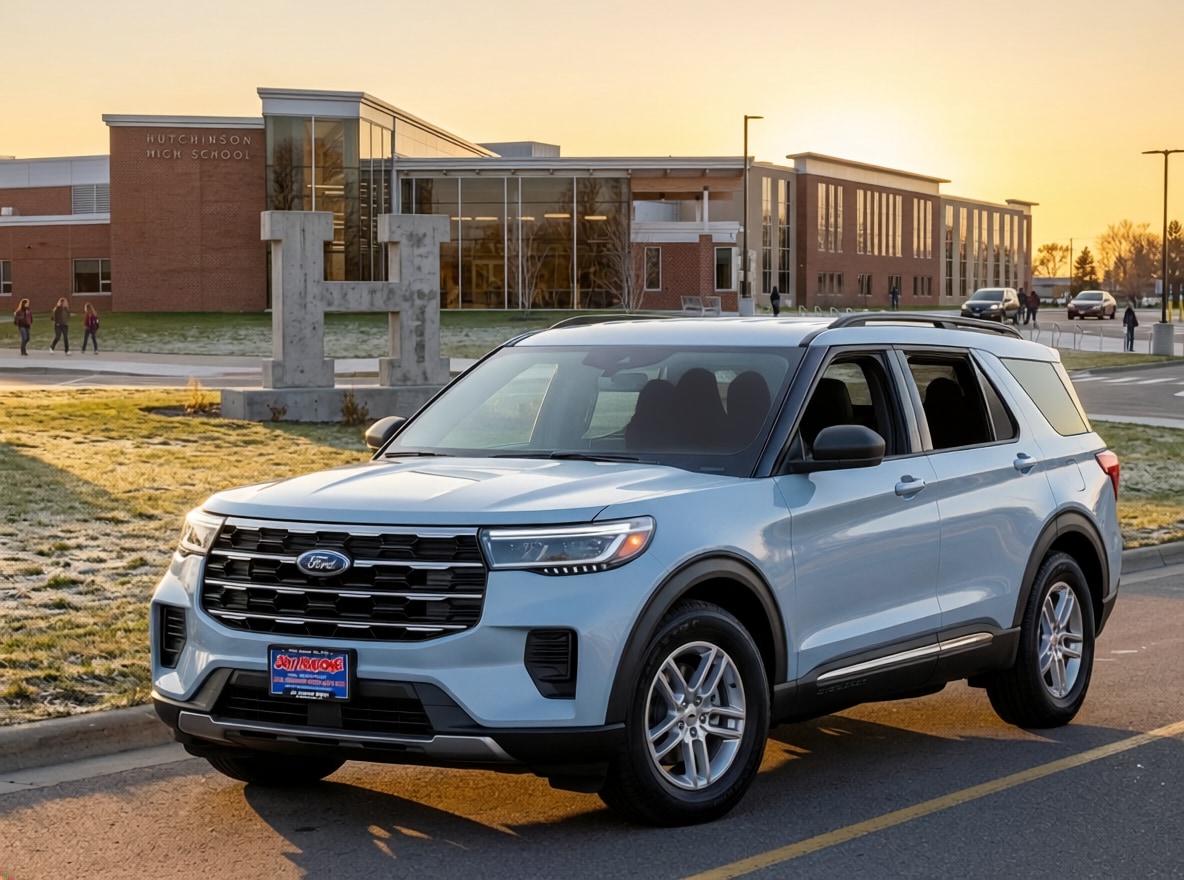
The 2026 Ford Explorer® has one of the most capable technology suites in the three-row SUV segment — and for buyers in central Minnesota who drive long stretches of US-7 and MN-15 between Hutchinson, Willmar, and the Twin Cities, several of those features have genuine daily-use value that goes beyond the spec sheet. BlueCruise hands-free highway driving. The Ford Digital Experience on a 13.2” center display. Open On Approach. A connected services package that’s included for the first year on every trim.
But technology on a modern SUV can feel overwhelming to sort through — too many acronyms, too many optional packages, too many questions about what’s actually included vs what you have to pay extra for. This guide cuts through all of it and explains every major technology feature on the 2026 Explorer in plain language: what it does, which trims include it, and whether it’s worth having for your family.
In This Guide
- What display and infotainment system does the Explorer have?
- What is BlueCruise and how does it work on the Explorer?
- Is BlueCruise worth it for Minnesota highway driving?
- What is the Ford Connectivity Package?
- What is the Ford Digital Experience?
- What driver-assist technology does the Explorer include?
- What is Open On Approach on the 2026 Explorer?
- What audio system does the Explorer have?
- Does the 2026 Explorer have wireless charging?
- Technology by trim — what each model includes
- Key Takeaways
- Frequently Asked Questions
What Display and Infotainment System Does the 2026 Explorer Have?
Every 2026 Explorer comes standard with a 13.2” LCD capacitive touchscreen with swipe capability — the largest center display Ford offers on the Explorer and a meaningful upgrade over the screens found in earlier model years. The display is crisp, responsive, and laid out in a way that keeps primary controls accessible without diving into menus.
Standard features on the infotainment system across all trims:
- Wireless Apple CarPlay® and Android Auto™ compatibility — no cable required
- Ford Digital Experience with customizable software
- 911 Assist® — automatic emergency call connection after an airbag deployment
- Voice-activated controls
- Over-the-air software update capability
- Google Maps embedded for real-time navigation
- Streaming audio via connected apps
The wireless CarPlay and Android Auto compatibility is worth calling out specifically — for Minnesota buyers who spend time on rural highways where streaming data can be spotty, having your phone’s navigation and apps mirrored to the center display without a cable is a genuine convenience. No hunting for the cable before you leave the driveway.
What Is BlueCruise and How Does It Work on the 2026 Explorer?
BlueCruise is Ford’s hands-free highway driving assistance feature — and it’s one of the most talked-about technology features on the 2026 Explorer. Here’s exactly what it does and what it doesn’t do, in plain terms.
What BlueCruise does: On pre-qualified sections of divided highways called “Blue Zones,” BlueCruise 1.5 allows you to take your hands off the steering wheel while the system handles acceleration, braking, and steering to keep you centered in your lane at your set speed. A driver-facing camera monitors that your eyes remain on the road — the system requires your attention, just not your hands on the wheel.
What’s new in BlueCruise 1.5 on the 2026 Explorer:
- Automatic Lane Change: When BlueCruise detects slower traffic ahead, it can initiate a lane change, accelerate to pass, and return to the original lane — all hands-free, without touching the turn signal
- In-Lane Repositioning: Adjusts position within the lane to create more comfortable spacing from vehicles alongside
- Improved in-lane stability for a more continuous, smooth hands-free experience
- Ability to navigate narrow lanes and curves more confidently than earlier BlueCruise versions
What BlueCruise does NOT do: BlueCruise is not full self-driving. It does not work in construction zones, on residential streets, or on non-divided roadways. It does not handle exit ramps or complex interchanges autonomously. It requires your eyes to remain on the road at all times — if the driver-facing camera detects you looking away, BlueCruise will alert you and can disengage. It is a driver-assist feature, not a replacement for driver attention.
BlueCruise availability on the 2026 Explorer:
| Trim | BlueCruise Status | Order Code | Plan Included |
|---|---|---|---|
| Active Base 100A | One-time purchase optional | 50S | 7-year plan |
| Active 200A | One-time purchase optional | 50S | 7-year plan |
| ST-Line 300A | Subscription optional (50N) OR one-time purchase (50S) | 50N / 50S | 1-year + 90 days (50N) / 7-year (50S) |
| Tremor® 800A | Subscription optional (50N) OR one-time purchase (50S) | 50N / 50S | 1-year + 90 days (50N) / 7-year (50S) |
| ST 400A | Equipped standard (50N); one-time purchase also available (50S) | 50N std / 50S opt | 1-year + 90 days included |
| Platinum™ 600A | Equipped standard (50N); one-time purchase also available (50S) | 50N std / 50S opt | 1-year + 90 days included |
BlueCruise requires an active connected services plan and modem activation. Hands-free driving is only available in pre-qualified Blue Zone highway segments. BlueCruise is a driver-assist feature and does not replace driver attention, judgment, or need to control the vehicle.
Is BlueCruise Worth It for Minnesota Highway Driving?
For central Minnesota buyers who regularly drive longer stretches of divided highway — US-7 between Hutchinson and the Cities, MN-15 between Hutchinson and St. Cloud, or similar runs — BlueCruise is one of the more genuinely useful technology features on the Explorer. Here’s an honest assessment:
Where it earns its keep in Minnesota: Long straight stretches of divided highway in central MN are exactly the kind of Blue Zone driving BlueCruise is designed for. On a 90-minute highway run with light to moderate traffic, having BlueCruise manage the lane centering and following distance while you keep your eyes forward genuinely reduces fatigue. The Automatic Lane Change feature on 1.5 adds a useful layer for passing slower vehicles without taking manual control.
Where it won’t help: County roads, two-lane state highways, gravel roads, and in-town driving are not Blue Zone environments — BlueCruise is off in those conditions. If most of your driving is rural two-lane roads and in-town errands around Hutchinson, BlueCruise will see limited use.
Subscription vs one-time purchase — which is smarter? The one-time purchase (50S) includes a 7-year plan and is available on all trims. The subscription plan (50N) includes 1 year + 90 days and requires renewal after that. For buyers who plan to keep the Explorer 5+ years, the one-time purchase often makes more financial sense. For buyers who trade vehicles frequently, the subscription gives you BlueCruise for the period you own the car without committing to a multi-year purchase.
Key note for ST and Platinum™ buyers: BlueCruise 1.5 equipment is already installed on these trims as standard — the hardware is in the vehicle. The 1-year + 90-day plan is included at purchase. After that plan expires, you choose whether to continue with a paid subscription or switch to the one-time purchase. Either way, you’re not paying for unused hardware on these trims.
What Is the Ford Connectivity Package?
The Ford Connectivity Package is included as standard on all 2026 Explorer trims for the first year — it’s not an add-on you have to pay for upfront. It provides 5G connectivity for the Ford Digital Experience and includes:
- Unlimited Wi-Fi® hotspot — connects up to 10 devices within approximately 50 feet of the vehicle; data speeds may be slowed after 50GB in a 30-day period
- Audio and video streaming — access streaming services directly through the center display
- Productivity features — video conferencing and web browsing via the center display
- Voice Assistant — Google Assistant for navigation, music, and information queries
- Entertainment — including games while parked and karaoke
- Google Maps embedded — real-time traffic, eco-friendly routing, and points of interest
After the first year, the Connectivity Package requires renewal. The 7-year one-time purchase option (order code 91D) is available on all Explorer trims — for buyers who want to lock in connectivity without annual renewal decisions, this is available at time of purchase.
Practical value for central MN families: The Wi-Fi hotspot is genuinely useful on longer road trips when kids need to stay connected — Hutchinson to Duluth, a lake weekend up north, a family trip to the Cities. Having 10-device connectivity in the vehicle without burning through individual phone data plans adds up over time. The video streaming while parked feature has obvious appeal for families who spend time waiting in parking lots between activities.
What Is the Ford Digital Experience?
The Ford Digital Experience is the software platform running on the Explorer’s 13.2” center display — think of it as the operating system for the vehicle’s infotainment and connected features. It’s designed around personalization and integration with your digital life in a way that earlier Ford infotainment generations weren’t.
Key capabilities of the Ford Digital Experience:
- Google Play app downloads — download select apps directly to the center screen, including gaming and video-conferencing apps
- Driver profile personalization — link your profile to the vehicle; your seat position, steering wheel, mirrors, and preferences follow your key
- Google Assistant integration — pulls your saved Google Maps destinations and tailored preferences into the vehicle
- Customizable dashcards — arrange the information you see on the home screen around your priorities
- Over-the-air software updates — the vehicle’s software can be updated without a dealer visit
The practical takeaway: the Ford Digital Experience is a meaningfully more capable platform than what earlier Explorer generations offered. It integrates with Google at a level that makes the vehicle feel continuous with the rest of your digital life rather than a separate, isolated system.
What Driver-Assist Technology Does the Explorer Include?
The 2026 Explorer comes with Ford’s Co-Pilot360® driver-assist technology standard across all trims — though the level of capability varies meaningfully between trim levels:
Ford Co-Pilot360® Assist+ (Active Base 100A and Active 200A):
- Adaptive Cruise Control with Stop-and-Go and Lane Centering Assist
- Pre-Collision Assist with Automatic Emergency Braking (AEB) and Pedestrian Detection
- BLIS® (Blind Spot Information System) with Rear Cross-Traffic Braking and Trailer Coverage
- Lane-Keeping System (Lane-Keeping Assist, Lane-Keeping Alert, Driver Alert)
- Auto High-Beam Headlamps
- Rear View Camera
- Road Departure Warning
- Side-Wind Stabilization
- Trailer Sway Control
Ford Co-Pilot360® Assist 2.0 (ST-Line, Tremor®, ST, Platinum™) — adds over Assist+:
- 360-Degree Camera with Split View — provides a bird’s-eye view of the vehicle and surroundings; extremely useful for parking in tight spots, backing trailers, and navigating unfamiliar driveways
- Reverse Brake Assist
- Evasive Steering Assist — helps steer around obstacles when AEB alone isn’t sufficient
- Intersection Assist
Why the 360-degree camera matters for Minnesota buyers: If you tow a boat, camper, or utility trailer, the 360-degree camera’s split view makes backing to a hitch, navigating a boat ramp, and parking in unfamiliar spots meaningfully easier. It’s one of the practical technology upgrades that earns its keep on the very first trip to the lake. This camera comes standard on ST-Line, Tremor®, ST, and Platinum™ — it is not available on Active Base or Active 200A.
What Is Open On Approach on the 2026 Explorer?
Open On Approach is a brand-new feature for the 2026 Explorer — and one of the most practically useful additions for families who regularly load and unload cargo. It automatically opens the power liftgate when your key fob is detected within approximately 3 feet of the rear of the vehicle, without any button press or foot-wave gesture required.
How it works: Stand within 3 feet of the rear of the Explorer (the “dwell zone”) with the key fob on your person. Four beeps and flashing hazard lights signal detection. After a brief pause, three more beeps and hazard flashes precede the liftgate opening automatically. The feature can be activated, deactivated, or set to manual mode via the 13.2” center display.
Practical scenarios where Open On Approach pays off:
- Loading groceries with both hands full and no free hand for the liftgate button
- Unloading hockey gear after a game with kids in tow
- Loading camping equipment when your hands are carrying gear
- Returning to the vehicle in a parking lot when your arms are full
Open On Approach availability:
- Standard on ST and Platinum™
- Available on Tremor® — requires the optional 3.0L EcoBoost® V6 (order code 99C)
- Not available on Active Base, Active, or ST-Line
Good to know: Open On Approach includes a proximity-sensing system to prevent the liftgate from opening in tight spaces like low-ceiling garages. Stepping out of the dwell zone will cancel the opening sequence if triggered unintentionally. It will not activate in valet mode or when a passenger door is open.
What Audio System Does the 2026 Explorer Have?
Audio system quality varies significantly by trim on the 2026 Explorer — this is one of the technology areas where moving up the lineup delivers a genuinely noticeable improvement in daily experience:
| Trim | Audio System | Speakers |
|---|---|---|
| Active Base 100A | Standard AM/FM with streaming capability | Standard |
| Active 200A | Standard AM/FM with streaming capability | Standard |
| ST-Line 300A | B&O® Sound System by Bang & Olufsen® | 10 speakers including subwoofer |
| Tremor® 800A (2.3L) | B&O® Sound System by Bang & Olufsen® | 10 speakers including subwoofer |
| Tremor® 800A (3.0L Ultimate Package) | B&O® Sound System by Bang & Olufsen® | 980W, 14 speakers including subwoofer |
| ST 400A | B&O® Sound System by Bang & Olufsen® | 10 speakers; 980W 14-speaker via Sun & Sound Package (51G) |
| Platinum™ 600A | B&O® Sound System by Bang & Olufsen® | 980W, 14 speakers including subwoofer — standard |
The step from the standard system on the Active trims to the B&O 10-speaker system on ST-Line is noticeable — and the step from 10-speaker to 980W 14-speaker on Platinum™ and 3.0L Tremor® is significant. If audio quality is a daily priority for your family, this is worth factoring into trim selection. The SiriusXM with 360L 3-year plan (order code 94B) is available as an optional add-on on all series for buyers who want extended satellite radio service.
Does the 2026 Explorer Have Wireless Charging?
No — and this is one of the most important “what changed” items for the 2026 model year. The wireless charging pad has been deleted from the 2026 Explorer lineup entirely. It is not available on any trim, not even as an option.
If you’re cross-shopping a 2025 Explorer and a 2026 Explorer, or if wireless charging is a feature you specifically want, this is a meaningful difference to know before you shop. The 2026 Explorer charges phones via USB-A and USB-C ports — confirmed on the Active 200A with USB-A (1) and USB-C (7) ports. Wireless charging is simply not part of the 2026 Explorer package.
Practical workaround: Multiple USB-C ports are available throughout the vehicle. A quality USB-C to MagSafe or USB-C cable in your preferred charging location is the straightforward solution. It’s not wireless, but it’s reliable and fast with modern charging speeds.
Technology by Trim — What Each 2026 Explorer Model Includes
| Feature | Active Base | Active | ST-Line | Tremor® | ST | Platinum™ |
|---|---|---|---|---|---|---|
| 13.2” center display | ✅ | ✅ | ✅ | ✅ | ✅ | ✅ |
| Wireless CarPlay/Android Auto | ✅ | ✅ | ✅ | ✅ | ✅ | ✅ |
| Ford Connectivity Package (1-yr) | ✅ | ✅ | ✅ | ✅ | ✅ | ✅ |
| Adaptive cruise with lane centering | ✅ | ✅ | ✅ | ✅ | ✅ | ✅ |
| 360-degree camera | ❌ | ❌ | ✅ | ✅ | ✅ | ✅ |
| BlueCruise equipped (std) | ❌ | ❌ | ❌ | ❌ | ✅ std | ✅ std |
| BlueCruise optional (50N/50S) | 50S only | 50S only | 50N or 50S | 50N or 50S | 50S opt | 50S opt |
| Open On Approach | ❌ | ❌ | ❌ | 3.0L req. | ✅ std | ✅ std |
| B&O audio system | ❌ | ❌ | ✅ 10-spk | ✅ 10-spk std / 14-spk (3.0L) | ✅ 10-spk std / 14-spk opt | ✅ 14-spk std |
| Wireless charging | ❌ | ❌ | ❌ | ❌ | ❌ | ❌ |
Technology decisions connect directly to trim selection. For the full picture of how each Explorer trim is equipped overall, visit our 2026 Explorer trim levels guide, and for the complete 2026 Explorer overview visit our 2026 Explorer overview page at Jay Malone Ford.
Key Takeaways
- 13.2” center display with wireless Apple CarPlay® and Android Auto™ is standard on all six 2026 Explorer trims
- Ford Connectivity Package with 5G Wi-Fi hotspot is included for 1 year on all trims; 7-year one-time purchase (91D) available at order
- BlueCruise 1.5 is standard (equipped) on ST and Platinum™ with 1-year + 90-day plan; optional via one-time purchase (50S) on all trims
- 360-degree camera is standard on ST-Line, Tremor®, ST, and Platinum™ — not available on Active Base or Active
- Open On Approach is standard on ST and Platinum™; requires 3.0L V6 on Tremor®; not available on Active or ST-Line
- B&O 10-speaker system standard on ST-Line, Tremor® (2.3L), and ST; B&O 980W 14-speaker standard on Platinum™ and 3.0L Tremor®
- Wireless charging has been DELETED from the entire 2026 Explorer lineup — not available on any trim
- Adaptive cruise with stop-and-go and lane centering is standard across all six trims
Frequently Asked Questions
Does the 2026 Ford Explorer have BlueCruise?
Yes — BlueCruise 1.5 is available on all six 2026 Explorer trims. It is standard (equipped) on the ST and Platinum™ with a 1-year + 90-day plan included. It is available via the one-time purchase option (order code 50S, includes 7-year plan) on all trims including Active Base and Active. The subscription plan (50N, 1-year + 90 days) is available on ST-Line, Tremor®, ST, and Platinum™.
Does the 2026 Explorer have wireless charging?
No. Wireless charging has been deleted from the 2026 Explorer lineup entirely — it is not available on any trim, not even as an option. The 2026 Explorer charges devices via USB-A and USB-C ports. This is a change from prior model years when wireless charging was available on select Explorer trims.
What is Open On Approach on the 2026 Explorer?
Open On Approach automatically opens the Explorer’s power liftgate when the key fob is detected within approximately 3 feet of the rear of the vehicle. No button press is required — simply stand in the rear dwell zone and the liftgate opens after a brief detection sequence. It is standard on the Explorer ST and Platinum™. On the Tremor®, it requires the 3.0L EcoBoost V6 option. It is not available on Active Base, Active, or ST-Line.
Does the 2026 Explorer have a 360-degree camera?
Yes — on select trims. The 360-Degree Camera with Split View is standard on the ST-Line, Tremor®, ST, and Platinum™ as part of the Ford Co-Pilot360® Assist 2.0 package. It is not available on the Active Base (100A) or Active (200A). The camera provides a bird’s-eye overhead view of the vehicle and its surroundings, with a split view for simultaneous front and rear visibility.
What is the Ford Connectivity Package on the Explorer?
The Ford Connectivity Package provides 5G connected services including an unlimited Wi-Fi hotspot for up to 10 devices, streaming audio and video, productivity features (video conferencing, web browsing), Google Maps, voice assistant, and entertainment including games and karaoke while parked. One year of the Connectivity Package is included standard on all six 2026 Explorer trims. A 7-year one-time purchase (order code 91D) is available on all trims at time of ordering.
My Take on Explorer Technology for Central Minnesota Buyers
The technology question I get most often at Jay Malone Ford is whether BlueCruise is worth adding. My honest answer: if you regularly drive longer stretches of divided highway, yes — it’s one of those features you use so naturally that you stop thinking about it as a feature. The one-time purchase option is new for 2026 and makes it easier to evaluate without committing to an ongoing subscription.
The 360-degree camera is the technology upgrade that surprises buyers most at the dealership. People think of it as a parking aid and then discover how useful it is at a boat ramp or when backing into a tight spot with a trailer. If you tow anything at all, moving to a trim that includes it is worth considering seriously.
And the wireless charging deletion — worth knowing before you walk in. It’s a real change from prior model years and something I want buyers to know upfront rather than discover after the purchase decision is made.
About the Author
I’m Jordan Malone-Forst, Assistant General Manager at Jay Malone Motors in Hutchinson, MN. I’m proud to be part of the family business my dad Jay started in 2005 — and even prouder to serve the community I grew up in. When I’m not at the dealership, you’ll find me involved with the Hutchinson Ambassadors and the Hutchinson Area Chamber of Commerce. If you have questions about the Explorer’s technology or want to see BlueCruise demonstrated in person, reach out — I’d love to help.